The improved iAngler app is on the App Store, and ready for you to download!
We wanted to give you a quick tutorial on how to navigate the download, registration, and trip creation processes. These steps have been streamlined, so the app should be ready for you to use in under a minute. Let’s get started.
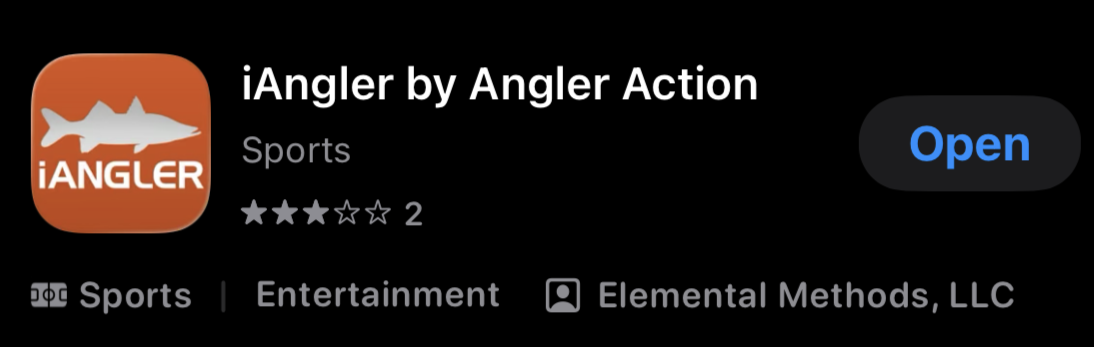
First thing’s first, go to the App Store and type the word ‘iAngler’ into the search box. Scroll down a bit, and find the correct app, pictured below.
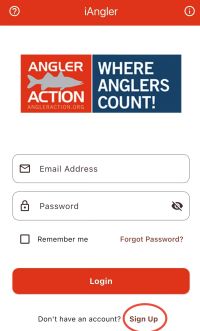
Download it, and open it for the first time. If you had an account on the previous version of iAngler (or MyFishCount), from before the redesign, skip these next few steps and log in using the username and password from that old account. We were able to migrate your account and previous trips over to the new platform, so you can get right to logging new trips.
If this is your first time using the platform, here’s where you’ll create your free account. Click the words ‘sign up’ at the bottom of the screen.
 This will bring you to the registration page, where you can fill in all the required information. Make sure to write down your username and password, in case you forget it down the line. Hit the ‘create account’ banner, and log in using your accounts email address and password. You’re in!
Now for the fun part.
You can now create trips, and log catches whenever you want. They are separate steps in the process, so you must always create a trip before you log your fish inside of it. Depending on your preference, you can make trips days ahead of time, or during/after fishing right before logging your catches. 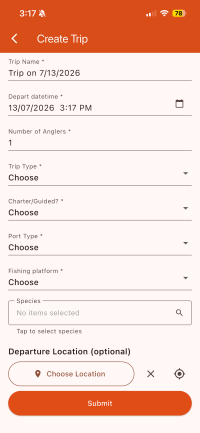
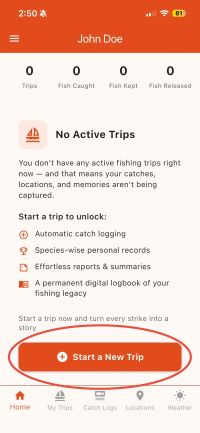
To begin, hit the ‘start a new trip’ button at the bottom of the home screen. Fill in the information. When you get down to the ‘Species’ field, go ahead and tap the search bar to bring up all the species within the app. Select whatever species you are targeting on your trip, even if you don’t end up landing any of them, or catch fish of another species instead. Add your location, then ‘submit’.
From this point, your trip has been created, and you can now log catches. I’ll go into details about how to log your catches in a later article. For now the important part is that your trip will stay open and can be modified until you hit the ‘End Trip’. This holds true even if you’ve logged catches within the trip. Conversely, you can end a trip at any time, even if you have not logged a catch inside of it. Be aware that you may not be able to go back and edit it in the future once you complete this process.
Once you’ve hit ‘End Trip’, you will be asked if you want to complete your trip or abandon it. 99% of the time, you'll go ahead and hit the ‘Complete Trip’ option.
Fill in however many hours you were actively fishing for, then hit ‘Submit’, and your trip is complete! Don’t be too hasty though, read a couple tips below to make sure you get the most out of your trips before ending them. Once ended, your trips have been completed, they can be found in the ‘My Trips’ tab at the bottom of 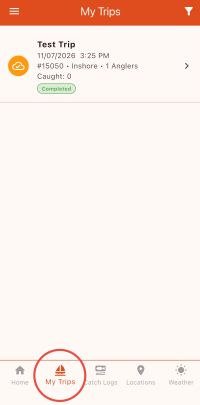 the screen.
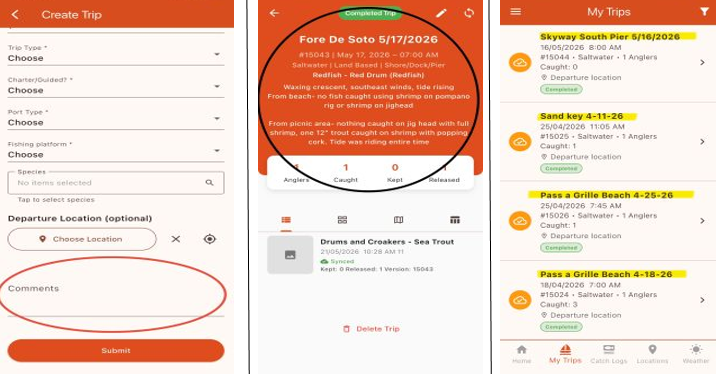
The biggest advice i’d give is to make a trip every time you go out and put a hook into the water, even if you don’t catch anything that day. More often than not, the trips where you get skunked provide the most of value.
The ‘Trip Name’ and ‘comment’ fields are by far the most important pieces of information you can fill out when creating your trips. ESPECIALLY the comment section. The ‘Trip Name’ is important because you can sort your completed trips by this metric. An easy format to use is location & date (i.e. John’s Pass 01/01/26). If you use this format, all the trips with the same location will cluster together and ascend by the date in the name.
For comments, you can add as much information as you want. I’ve paragraphed my share of trip details for most of my trips so far, but you can pick and choose what information is most important when filling this in. Anything from tides, moon phases, bait, tackle, fishing technique, bait sighted, wind direction, boater activity etc… can be used to hone in on what works for you as an angler. This ties in to logging your trips even when you don’t catch anything. By skimming comments, and seeing what your successes and failures have in common, you’re bound to become a far greater angler than prior to using the logbook.
That’s about all there is to it. Stay tuned to figure out the best way to log your catches in a future article. For now, get on the water and hone your craft. Prime Tarpon season is upon us, after all. Hope to see you out there!